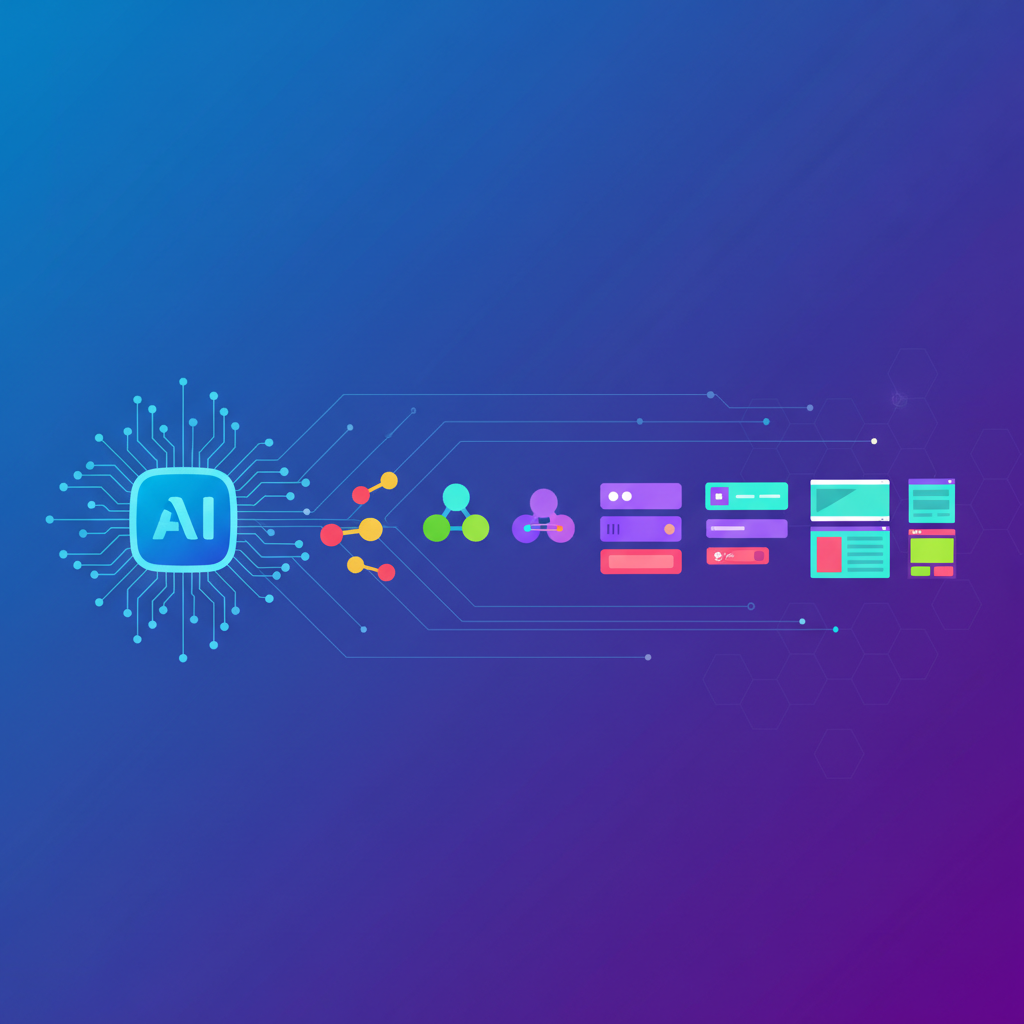
Atomic design is a component-based methodology for building design systems; when combined with AI, it becomes a powerful way to generate, maintain, and scale consistent interfaces and content automatically, while keeping humans in control of the rules, tokens, and patterns.[2][3][4][8]
Below is a comprehensive look at how to adopt atomic design in an AI-powered world—from fundamentals to concrete adoption steps and organizational change.
1. What is Atomic Design?
Atomic design, coined by Brad Frost (2013), is a method for creating design systems by breaking interfaces into small, reusable building blocks organized hierarchically.[2][3][4][7]
Typical levels (with minor variations across authors) include:[3][4]
- Atoms – the smallest UI building blocks, such as labels, inputs, buttons, icons, color tokens, typography styles.[3][4]
- Molecules – small combinations of atoms that work together, like a search field (label + input + button).[3]
- Organisms – larger composite components composed of molecules and atoms, such as headers, cards, product tiles, or sidebar sections.[3]
- Templates – page-level layouts that arrange organisms and define content structure without focusing on specific copy or data.[3]
- Pages – templates populated with real content, used to test the design system in real scenarios.[3]
Key principles:[2][3][4]
- Object-based modularity – break UIs into independent, composable parts.[2]
- Design systems, not pages – the focus is the reusable system, not one-off screens.[3]
- Modularity + agility – atomic parts can be changed, tested, and rolled out quickly.[3]
- Mental model – more than a tool; it’s a way of thinking about interfaces as structured, reusable systems.[4][7]
2. Why Atomic Design Matters Even More With AI
AI is increasingly used to generate layouts, content, and code and to automate parts of the design workflow.[6][8] In that context, atomic design provides the structure and constraints AI needs to produce usable, consistent outcomes.
2.1. AI needs a structured system
Modern AI tools excel at pattern generation, but without structure they can easily create:
- Inconsistent spacing, colors, or typography.
- Slightly different variants of the “same” component.
- Hard-to-maintain one-off layouts.
Atomic design addresses this because it:[3][4][8]
- Defines a hierarchical component model (atoms → molecules → organisms → templates → pages).
- Encourages single responsibility per component and clear reuse boundaries.[3]
- Creates a catalog of approved building blocks AI can operate on instead of inventing from scratch.
Qt’s discussion on atomic design systems highlights that automation and AI can generate and maintain atomic components, while the underlying hierarchical thinking remains crucial.[8]
2.2. Design tokens + components as AI’s “language”
Brad Frost and others emphasize the importance of design tokens (color, spacing, radius, typography, motion, etc.) and a solid component library as the foundation for automation.[5][8]
- Tokens decouple structure from aesthetic so you can reuse a component while changing its visual theme safely.[5]
- AI can be instructed to respect tokens and components, for example:
- “Use
Button/Primarywithspacing-lgandcolor-brand-100.” - This lets AI generate variations and themes without breaking structural consistency.[5][8]
3. Types of AI–Atomic Design Integrations
3.1. AI-assisted component creation
AI can support designers and developers in creating or refining the design system itself:
- Suggest atomic breakdowns when given a screen:
- “This appears to be an organism composed of these molecules and atoms.”
- Generate variants of existing molecules/organisms that respect tokens.
- Propose accessibility improvements at atom/molecule level (contrast, target size).
- Refactor or normalize duplicated components discovered across products.
This is analogous to the “UI audit” step when applying atomic design to an existing product—AI can accelerate building that inventory of components.[4]
3.2. AI-orchestrated assembly of components
Once you have an atomic system, AI can orchestrate it into full experiences:
- Generate page layouts by combining organisms and templates based on requirements.
- Dynamically select components and variants based on context (device, user segment, content length).
- Produce multi-channel outputs (web, mobile, email) from the same underlying atoms/molecules.
Qt notes that AI can generate and maintain atomic components, but the enduring value is hierarchical thinking and clear structure.[8]
3.3. Atomic design for learning and content with AI
The atomic metaphor is also applied beyond UI to learning design, with AI as an orchestrator.[1]
- Atoms of knowledge – smallest meaningful micro-assets (videos, prompts, infographics, assessments, diagnostics, job aids).[1]
- Molecules of relevance – tailored combinations of those atoms for specific learner needs or contexts.[1]
- Learning ecosystems – layered environments where AI dynamically assembles and adapts experiences.[1]
- AI orchestration (Nucleus) – AI engine that assembles atoms into personalized pathways based on learner behavior and goals.[1]
- Human+AI partnership – humans curate, validate, and evolve the atomic library; AI assembles and adapts.[1]
This maps almost directly onto atomic UI design: modular pieces + AI assembly + human governance.
4. Challenges: Top‑Down AI vs Bottom‑Up Atomic Design
An emerging tension is that many AI-powered design tools work top-down, generating whole layouts or pages first, while atomic design works bottom-up, from atoms to pages.[6]
A 2025-oriented analysis notes that AI tools used by many teams generate layouts using top‑down processes, sometimes skipping explicit component thinking.[6] That can lead to:
- Screens that look good but don’t map cleanly to your design system.
- Proliferation of slightly different variants of the same pattern.
- Difficulty maintaining or scaling AI-generated designs over time.
However, the essay also notes that atomic design remains relevant as long as teams:
- Treat it as a mental model for hierarchy and reuse, not a dogmatic labeling system.[6][8]
- Ensure AI outputs are translated back into components, tokens, and patterns.
- Use automation to enforce or suggest atomic structures, rather than bypass them.
Qt similarly stresses that the labels (atoms, molecules, organisms) themselves are less important than the underlying hierarchical, system-oriented thinking, especially in an era of automation.[8]
5. Practical Adoption Strategy: Atomic Design with AI
Below is a pragmatic adoption roadmap that combines atomic design and AI.
5.1. Phase 1 – Establish the atomic foundation
- Audit existing UI (or content) inventory
- Catalog all screens, patterns, and components across products.[4]
- Use AI-assisted visual analysis to help cluster similar components and highlight inconsistencies (fonts, colors, spacing, etc.).
- Tag what appears to be atoms, molecules, organisms.
- Define or refine design tokens
- Create a token set for colors, typography, spacing, radii, shadows, motion, and breakpoints.[5][8]
- Store tokens in a structured format (JSON or platform tokens) so they can be consumed by both design tools and AI systems.[5]
- Build a canonical atomic component library
- Use Figma/Sketch/Adobe XD or code component libraries to define atoms, molecules, and organisms.[3][4]
- Map properties and variants clearly; atomic design requires that components be reusable and configurable, not monolithic.[4]
- Where possible, align naming and properties with your token system for better AI usage.
- Define adoption rules and constraints
- Explicit guidelines on when to create a new atom vs a variant vs a new organism.
- Rules for accessibility, responsiveness, and content limits per component.
- These rules become prompts and guardrails for AI tools later.
5.2. Phase 2 – Embed AI into atomic workflows
- AI as a design assistant (bottom‑up)
- Use AI to:
- Suggest atoms from raw visual mocks or sketches.
- Refactor similar components into one canonical molecule/organism.
- Propose responsive behaviors for organisms and templates.
- Train or configure AI prompts to always reference your tokens, component names, and allowed variants.
- AI as an orchestrator (top‑down → bottom‑up reconciliation)
- Allow AI to generate page layouts or flows, but enforce that:
- All elements map to existing atoms/molecules/organisms where possible.
- Any “new” component must be flagged for review and potential addition to the design system.
- Build scripts or workflows that parse AI-generated designs and:
- Match them to existing components.
- Highlight mismatches or custom elements requiring approval.
- AI for scale and personalization
- For content-heavy systems (e.g., learning platforms, marketing sites), define atoms of content (snippets, images, microcopy, quizzes) analogous to atoms of UI.[1]
- Let AI assemble personalized molecules/organisms of content based on user data (role, behavior, goals).[1]
- In learning, this becomes AI orchestration of “atoms of knowledge” into personalized paths.[1]
5.3. Phase 3 – Governance, quality, and evolution
- Human+AI review loop
- Humans remain responsible for:
- Approving new atoms/molecules/organisms suggested by AI.
- Ensuring brand, ethics, and accessibility are respected.
- Curating pattern libraries and documentation.
- AI assists by:
- Detecting drift (e.g., components that don’t follow tokens).
- Monitoring usage patterns to suggest deprecations or consolidations.
- Documentation and education
- Clearly document:
- Atomic hierarchy.
- Token definitions.
- How AI tools are allowed to use components.
- Reinforce the idea that atomic design is a mental model for everyone, not just designers.[4][7]
- Continuous improvement
- Use metrics:
- Time to build a new page or feature.
- Consistency and accessibility scores.
- Component reuse rate across products.[3]
- Iterate on atoms, molecules, and organisms—and update AI prompts and constraints accordingly.
6. Organizational Benefits of Atomic Design with AI
When adopted thoughtfully, teams typically see benefits at several levels.[1][3][8]
Consistency and integrity of experience
Design systems based on atomic principles give more consistent UX, which correlates with better conversion and engagement.[3]
AI can scale that consistency across many surfaces and products.
Speed and productivity
Teams ship new pages/features faster because they are assembling from pre-approved parts.[3]
AI accelerates both creation (layouts, content) and maintenance (refactors, theming).[8]
Improved collaboration
Designers, developers, product managers, and content teams all speak in terms of atoms/molecules/organisms and reuse rules, reducing misalignment.[3][4]
AI becomes a shared tool that respects this common language instead of producing arbitrary artifacts.
Scalable personalization
In domains like learning, atomic content + AI orchestration supports personalized pathways at scale without bespoke authoring for each learner.[1]
Similarly, AI can generate personalized page variants while still staying within the system.
Future-proofing in an automated world
As AI tools evolve, a robust atomic system ensures that automation remains grounded in maintainable patterns and tokens.[5][8]
The labels “atoms/molecules/organisms” may matter less, but the hierarchical, modular thinking is what keeps your design practice adaptable.[8]
7. Practical Tips and Pitfalls
Tips
- Treat atomic design as a guiding mental model, not as a rigid taxonomy.[4][6][8]
- Invest early in design tokens; they are the key interface between your design system and AI.[5][8]
- Build tooling and prompts that force AI to use existing components before inventing new ones.
- Use AI heavily for inventory, refactors, and audits, where the work is repetitive and pattern-based.
Common pitfalls
- Letting AI generate entirely custom layouts without mapping them back to components → leads to design debt and inconsistency.[6]
- Over-focusing on the names (“Is this an organism or a molecule?”) instead of the reusability and hierarchy.[8]
- Treating atomic design as a one-time project rather than an ongoing system that evolves with products and AI capabilities.[7][8]
8. Extending Beyond UI: Atomic Thinking Across the Experience Stack
The same atomic principles can be extended beyond pure interface design:
- Content design – atomic fragments of copy, messages, and narratives assembled into emails, flows, FAQs.
- Learning & L&D – “atoms of knowledge” and AI-orchestrated learning ecosystems.[1]
- Product configuration – modular features or capabilities enabled/disabled per customer segment.
In each case, AI plays the role of orchestrator, assembling atomic pieces into context-appropriate structures, while humans define the building blocks, rules, and outcomes.[1][8]
Adopting atomic design with AI is ultimately about combining structured, reusable systems with adaptive, automated assembly—so that teams can move faster without sacrificing coherence, accessibility, or brand integrity.

No comments:
Post a Comment