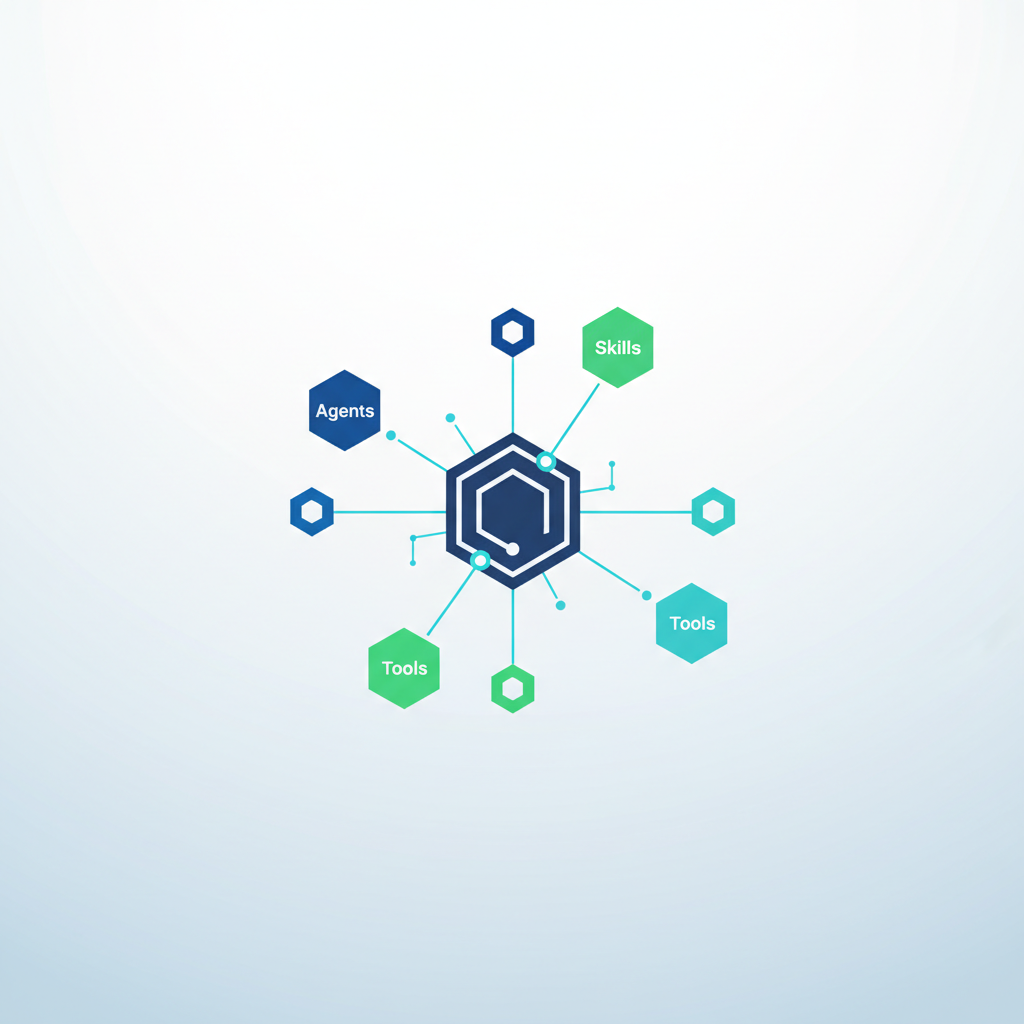
Most engineering teams build AI harnesses by throwing hundreds of Model Context Protocol (MCP) tools directly at their IDEs, only to watch their context windows burn and performance degrade. By shifting from raw tool dumping to a structured harness architecture using scoped skills and automated execution hooks, you can lower context overhead while boosting model accuracy.
The 26% Context Drain That Breaks AI Coding
Treating your AI agent like a dump for every API endpoint you own is an expensive mistake. When engineers connect raw MCP servers into Cursor or VS Code, the raw tool definitions eat up a massive portion of the available context before you even type a single character. In a 200K-token context window, unoptimized MCP setups spend thousands of tokens just describing how tools work.
In fact, Harness found that their initial MCP server redesign was consumed by tool bloat, where tool-definition context ate up roughly 26% of a 200K-token window across 130+ tools (Source: Harness blog, 'Designing MCP for the Age of AI Agents'). This left less room for actual source code and multi-file reasoning, degrading overall model performance.
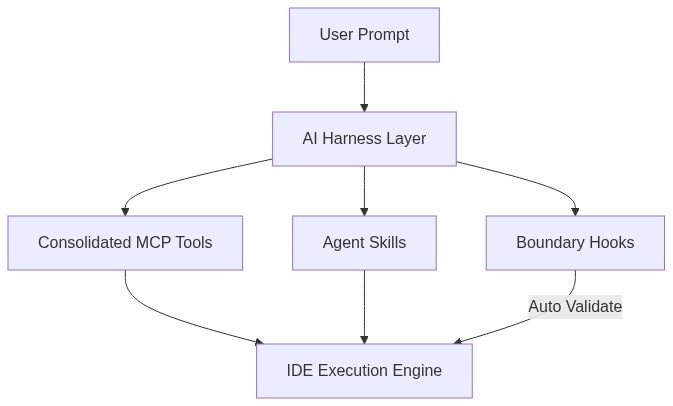
To fix this, you must stop exposing raw tools directly to the agent. Instead, you need an AI Harness—an intermediary abstraction layer that controls context distribution, validates inputs, and executes workflows dynamically.
The SHIELD Framework: Architecting Your AI Harness
To build an enterprise-grade harness across Claude Code, VS Code, and Cursor, apply the SHIELD framework:
- Scope Tools: Group broad API endpoints into consolidated MCP servers to stay well below the platform limit.
- Hook Guardrails: Execute deterministic scripts on agent events to validate code and enforce project rules automatically.
- Isolate Skills: Encapsulate reusable instructions into dynamic markdown files that load only when triggered.
- Encapsulate State: Manage session history and environment variables outside the primary model context.
- Limit Context: Strip non-essential metadata from tool declarations before transmitting tokens.
- Deterministic Fallbacks: Force agents into structured terminal workflows when automated code modification fails.
Think of an AI harness like a modern airport control tower. The model is the pilot, but the harness provides the flight plans, radar rules, and ground execution crews. Without the tower, the pilot is forced to manage ground baggage and run runway checks simultaneously, leading to catastrophic cognitive overload.
Consolidate or Crash: Optimizing MCP for Cursor's Limits
Tool overload doesn't just waste tokens—it hard-crashes your IDE workflows. For instance, Cursor enforces a strict 80-tool cap. If your unoptimized stack attempts to register 200+ micro-tools, the integration fails entirely.
To overcome this, Harness completely redesigned their MCP architecture. They reduced their tool count from 130+ to 11, slashing estimated tool-definition context costs from 26% down to 1.6% of a 200K-token window (Source: Harness blog, 'Designing MCP for the Age of AI Agents'). The exact same stack that would have scaled to ~236 tools using traditional tooling dropped to just 72 tools, bringing it safely beneath Cursor's 80-tool cap.
Instead of creating create_jira_issue, update_jira_issue, and delete_jira_issue, define a single manage_jira tool with a action parameter. This simple structural reframe shrinks your token footprint while preserving total capability.
Enforcing Runtime Workflow Control with Agent Hooks
Context reduction gets your agent running, but automated hooks keep it from going off the rails. Without hooks, you rely on prompt engineering to tell the agent to run tests or format code—an approach that frequently fails during complex multi-step refactors.
Agent hooks solve this by running shell scripts automatically when an agent hits a specific boundary, replacing manual prompting with enforced workflow control (Source: YouTube, 'Hooks Make AI Agents LISTEN (Cursor + Claude Code)').
For instance, setting a pre-commit or post-execution hook in Claude Code or Cursor allows you to run deterministic linters and test suites automatically. If the test fails, the hook returns the stdout error directly back into the agent loop, forcing an immediate self-healing cycle before any bad code touches your repository.
Selecting Your IDE Stack: Terminal Autonomy vs. Editor Speed
Where you host your harness determines your operational strengths. Benchmarks reveal distinct advantages across terminal-first and IDE-centric environments.
In a benchmark on workflow fit, Cursor led in setup speed, Docker/Render deployment, and code quality, whereas Claude Code proved best for rapid prototypes and terminal UX (Source: Render, 'Testing AI coding agents (2025): Cursor vs. Claude'). Furthermore, an A/B test on a production Rails app showed Cursor won on cost, while Claude Code won on autonomy and interaction with tests/version control (Source: haihai.ai, 'Cursor Agent vs. Claude Code').
In one token-efficiency benchmark, Claude Code completed an identical task using 33K tokens with no errors, whereas Cursor consumed 188K tokens and encountered errors—demonstrating 5.5x fewer tokens for Claude Code in that specific terminal test (Source: FutureProofing.dev, 'Claude Code vs Cursor Agent Mode 2026').
Meanwhile, the Endor Labs benchmark showed that Cursor's harness extracted about 4 percentage points more functionality than the baseline for Opus 4.7 (87.2% to 91.1%), while for GPT-5.5 the performance gap expanded to 25 points (Source: MindStudio, 'Cursor SDK vs Claude Code Harness'). Select Claude Code for deep terminal autonomy, and Cursor for lightning-fast, setup-friendly IDE iteration.
Engineering Higher Autonomy: The Ultimate Dev Ecosystem
Building an AI harness is not merely an exercise in token optimization or cost reduction—it is an architectural investment in developer autonomy. By abstracting raw MCP tools into optimized skills and guarding agent execution with automated boundary hooks, you bridge the gap between fickle probabilistic models and reliable deterministic software engineering.
When your environment enforces its own quality checks through hooks and minimizes tool overhead, your engineering team shifts from babysitting code output to orchestrating complex features at scale. The future of software design isn't about writing better prompts; it's about building tighter, smarter harnesses that allow autonomous agents to operate safely in high-stakes codebases.
Sources: Harness blog, 'Designing MCP for the Age of AI Agents' (2025/2026) | YouTube, 'Hooks Make AI Agents LISTEN (Cursor + Claude Code)' | MindStudio, 'Cursor SDK vs Claude Code Harness: Which One Gets ...' (2026) | FutureProofing.dev, 'Claude Code vs Cursor Agent Mode 2026' (2026) | haihai.ai, 'Cursor Agent vs. Claude Code' (2026) | Render, 'Testing AI coding agents (2025): Cursor vs. Claude ...' (2025)

No comments:
Post a Comment